
Removing a Circle Member from your Hibou account is easy.
- First, login to Hibou and select 'My Circle'
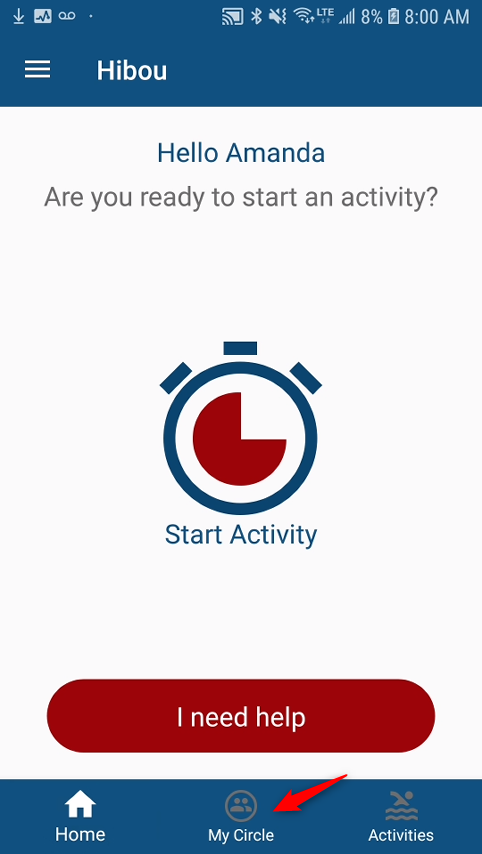
Select 'My Circle'
- Next, select the Circle Member you would like removed

Select the Circle Member you would like removed
- Once selected, press on "Member Settings" then click 'Delete' in the top right corner

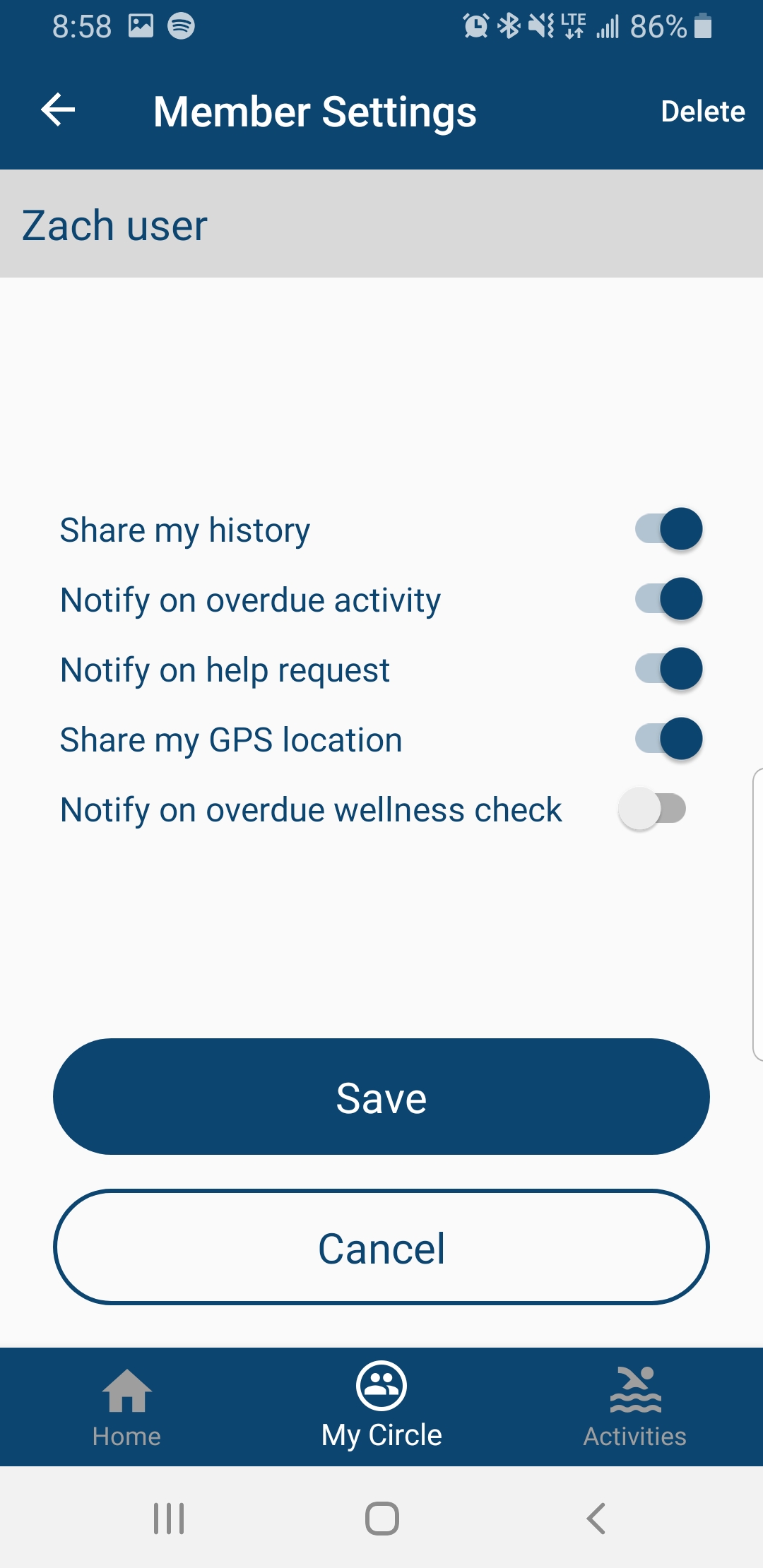
Select 'Delete' in the top right corner
Comments
0 comments
Please sign in to leave a comment.