
In order to invite Circle Members to your Hibou Account, they must already be signed up with Hibou. Once you ensure who your circle members will be, you are able to send them individual invites through email right over the app.
- To begin, log in to Hibou
- Select 'My Circle'
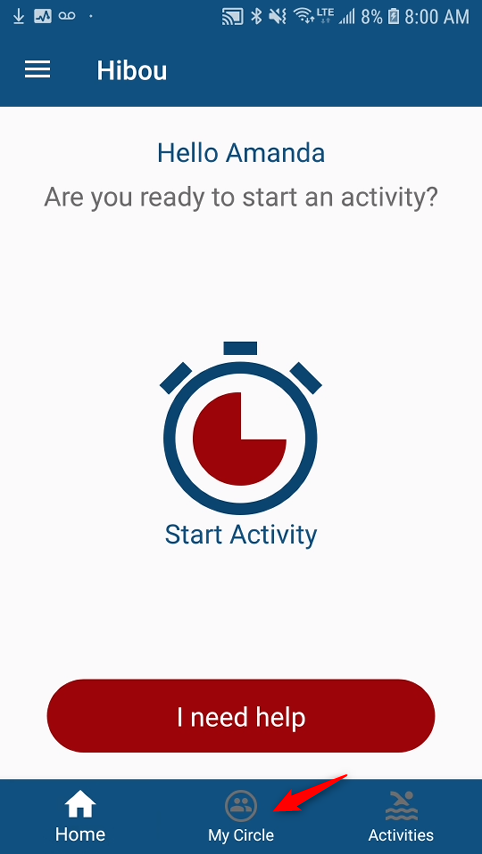
Select 'My Circle' once logged into Hibou
Here you are able to view existing Circle Members and you are also able to view who's circle you are apart of.
- To add a Circle Member, select 'Invite' in the top right corner of the app
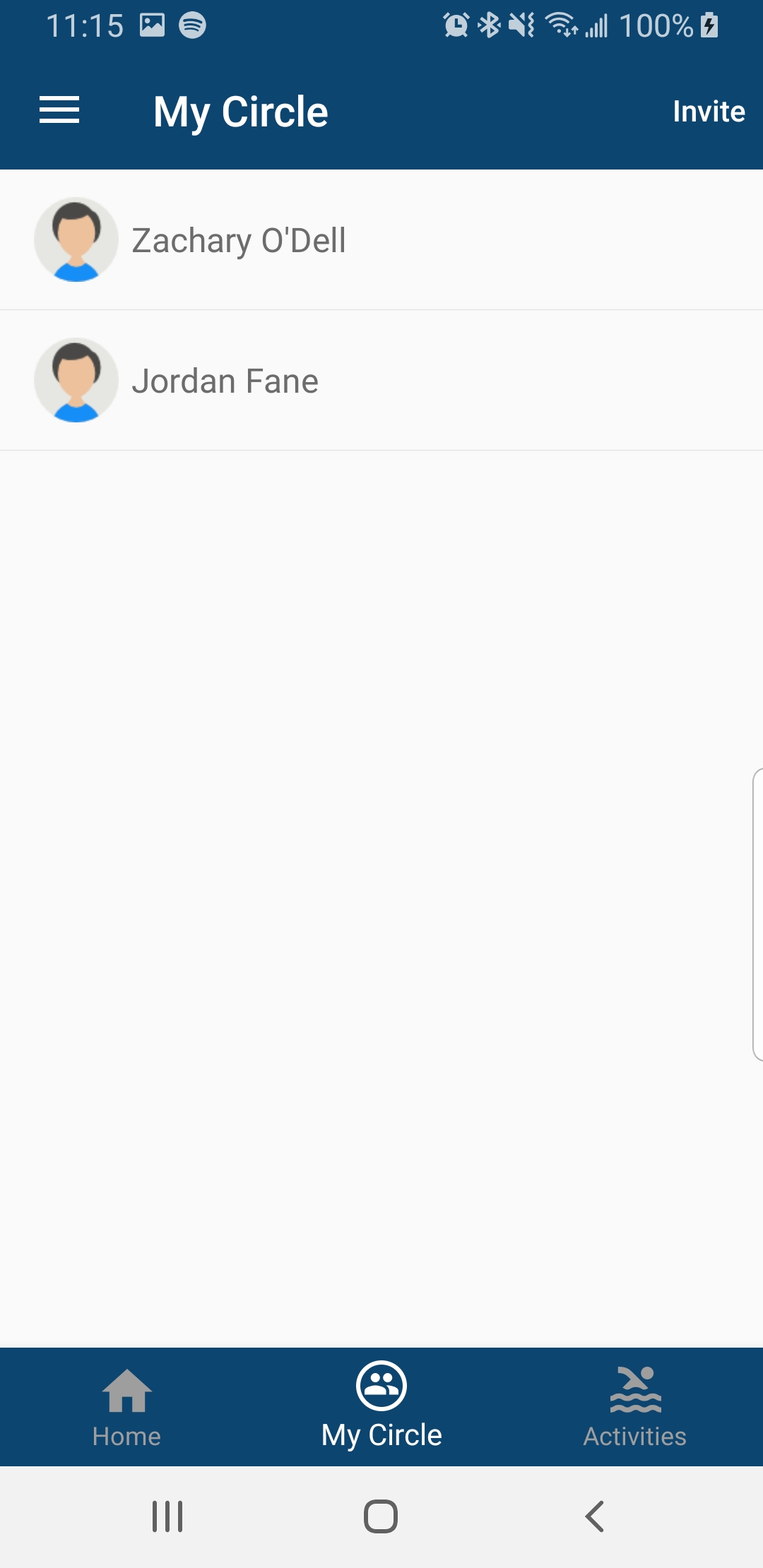
Select 'Invite' in the top right corner
- Next, you will be asked to fill in the required fields for the person you wish to add to your circle (First Name, Last Name, Email address and even a custom message you would like sent to the individual). You can also click "User Contacts" to out populate these fields with information provided by your contacts.
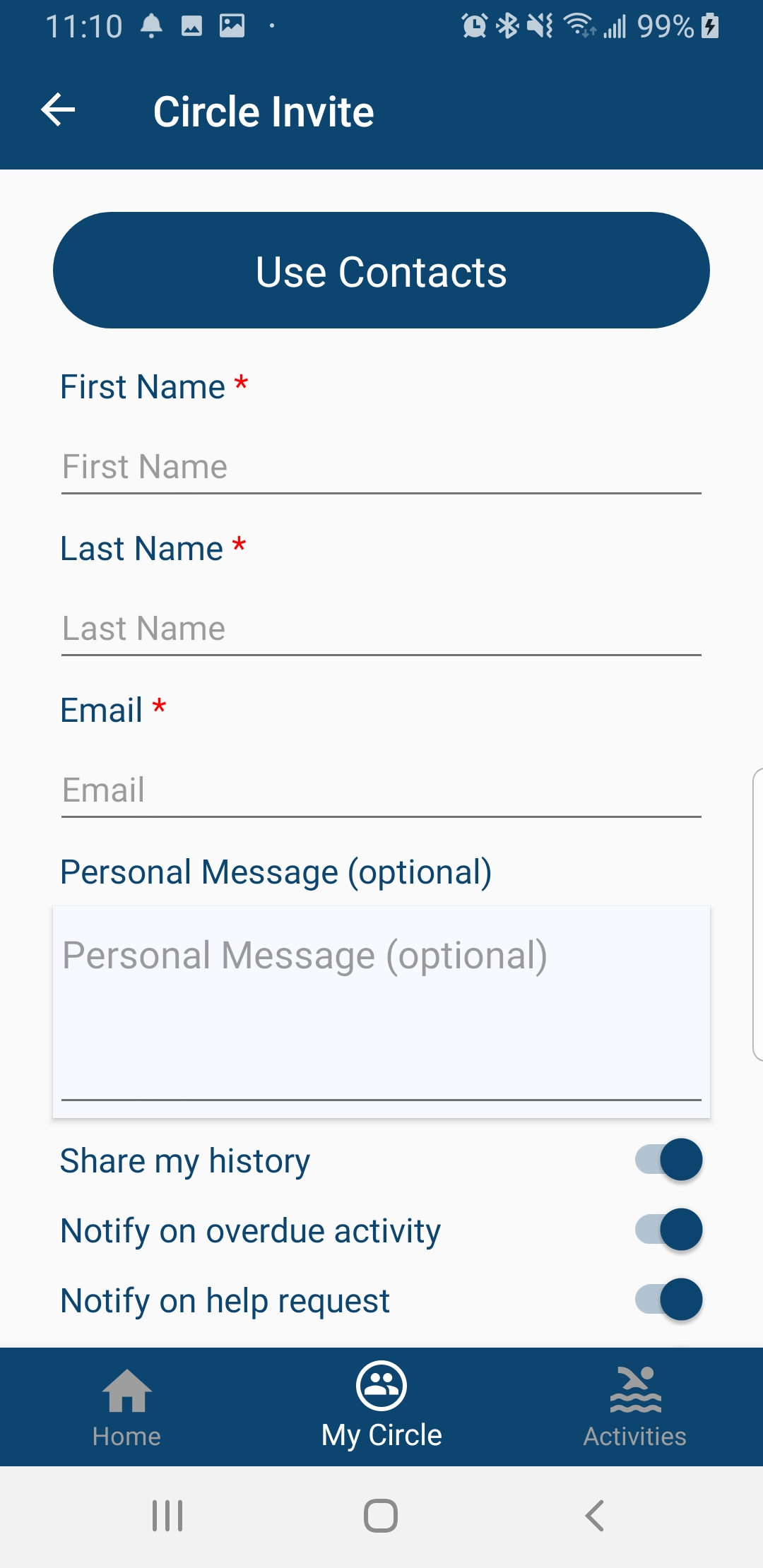
Fill in required fields for your circle member
- After you fill in the fields above, you have the option to enable and disable additional features you would like this circle member to have
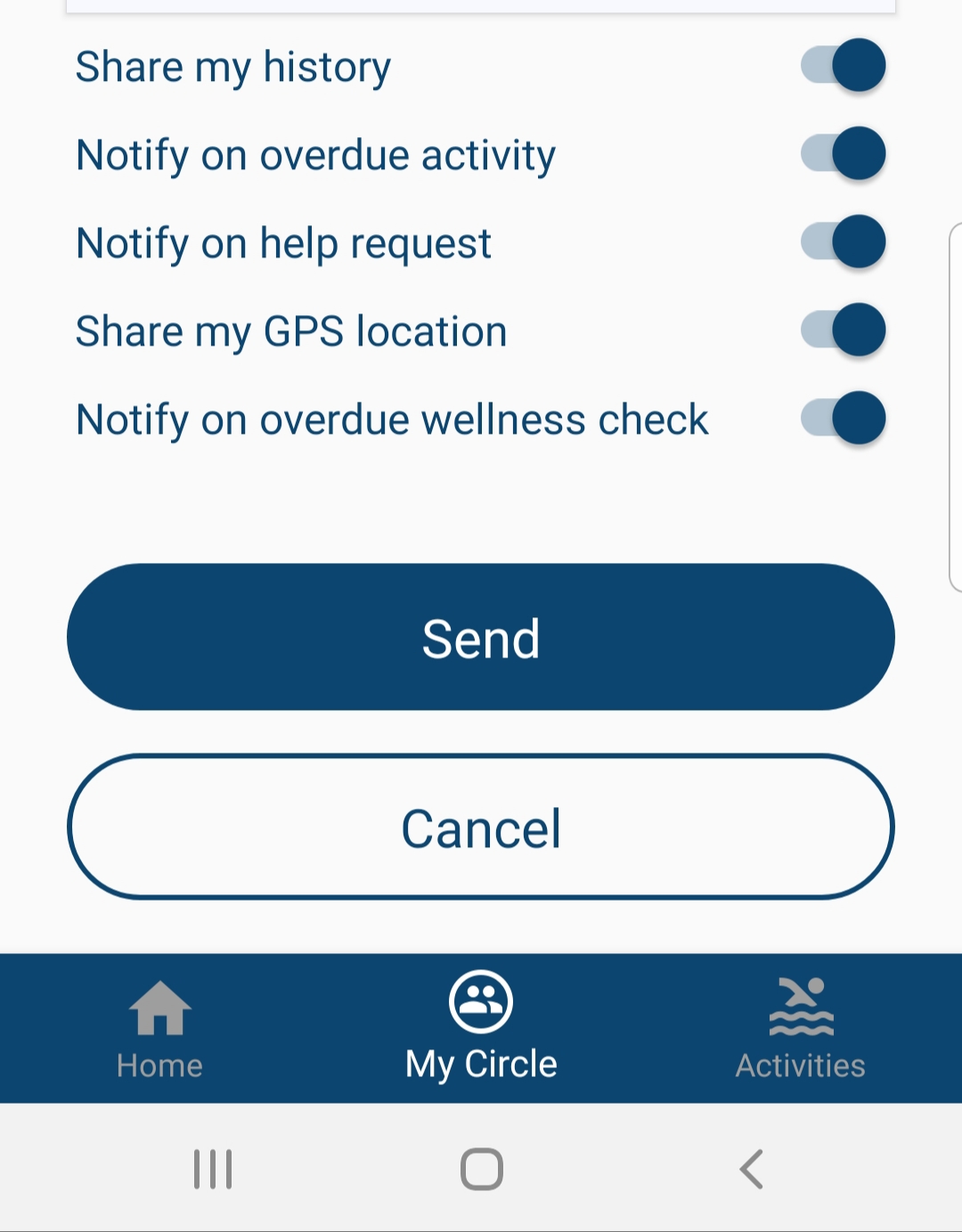
Enable/Disable access to your history, GPS location and allow notifications during emergency status
- Select 'Send' to send an invitation to individual
- Once invitation is sent, the status will be set to pending
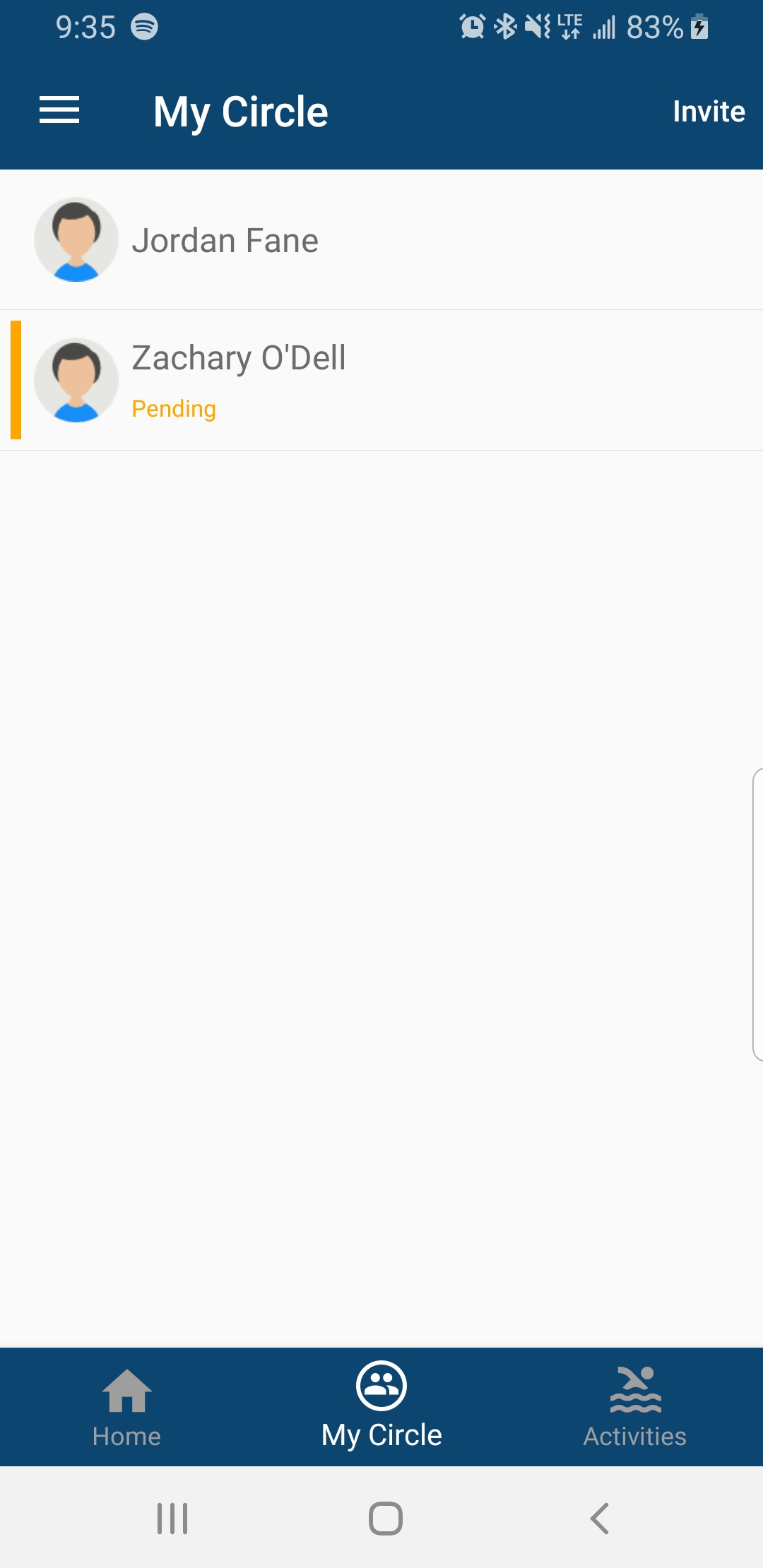
Waiting for Circle Member to accept the invitation
Comments
0 comments
Please sign in to leave a comment.